
NEW RELEASE
Version 2.0.0 is here: Native WebSDR Integration, APRS-IS Messaging, and Full JSON Backup!

Important: Access Credentials

QSOLink is a Radio Client. It does not provide network access credentials (Callsign/Password). To use the app, you must obtain these directly from the sysops or administrators of the SvxLink networks you wish to join.

Join our Telegram community for info on available networks: t.me/t_qsolink
Coming Soon: A dedicated QSOLink network infrastructure will be launched shortly!

QSOLink Logo

The Ultimate SvxLink Client
For Smartphones & POCs.

145.500 QSO.link MHz

Forget the old dial! We no longer say 145.500 MHz, but QSO.link MHz.


Whether you use a high-end flagship or a rugged POC handset (the kind that looks like a 90s brick and could probably survive a tank), QSOLink is your professional gateway to SvxLink networks.


It runs on almost anything. As long as it has Android 9 or higher, it's a radio! (We decided Android 8 was just too "vintage", even for us).

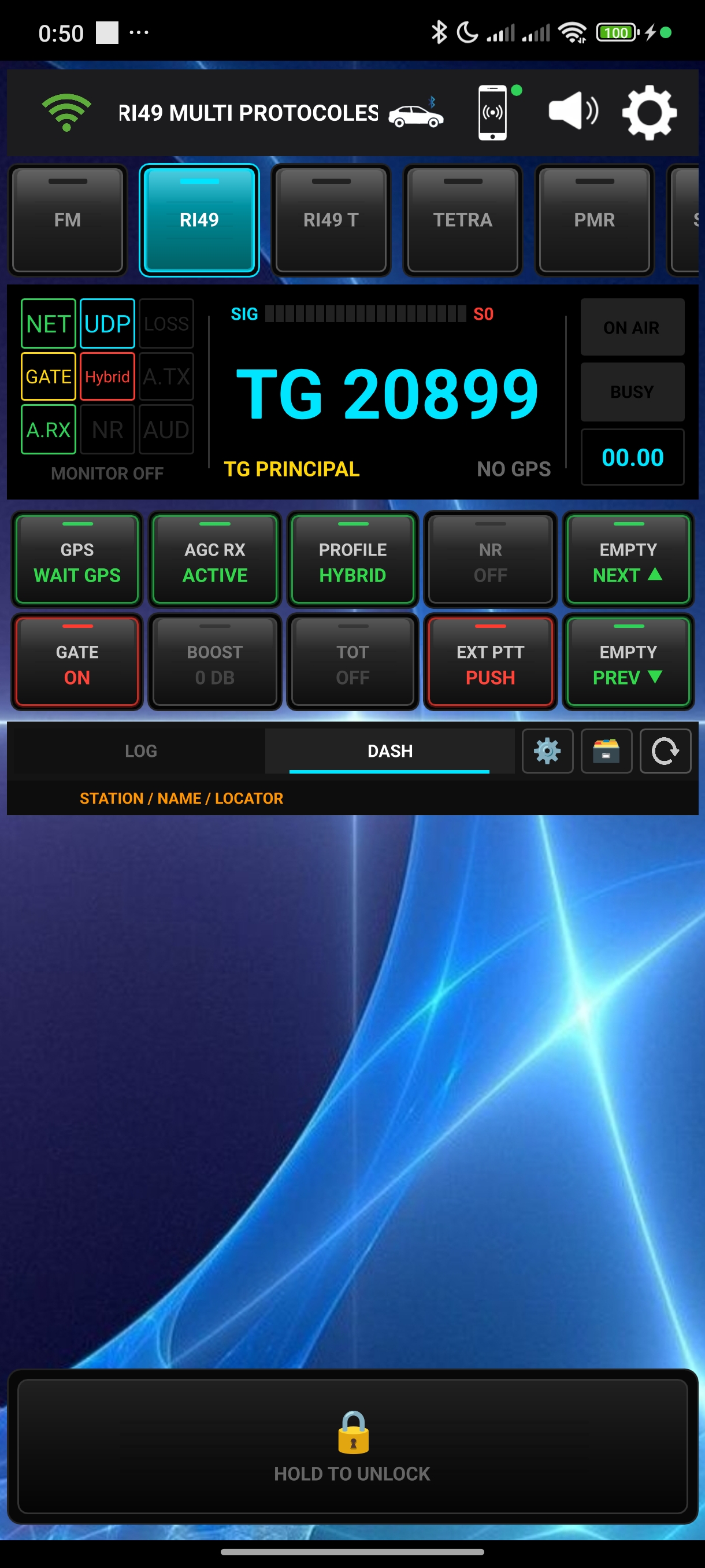
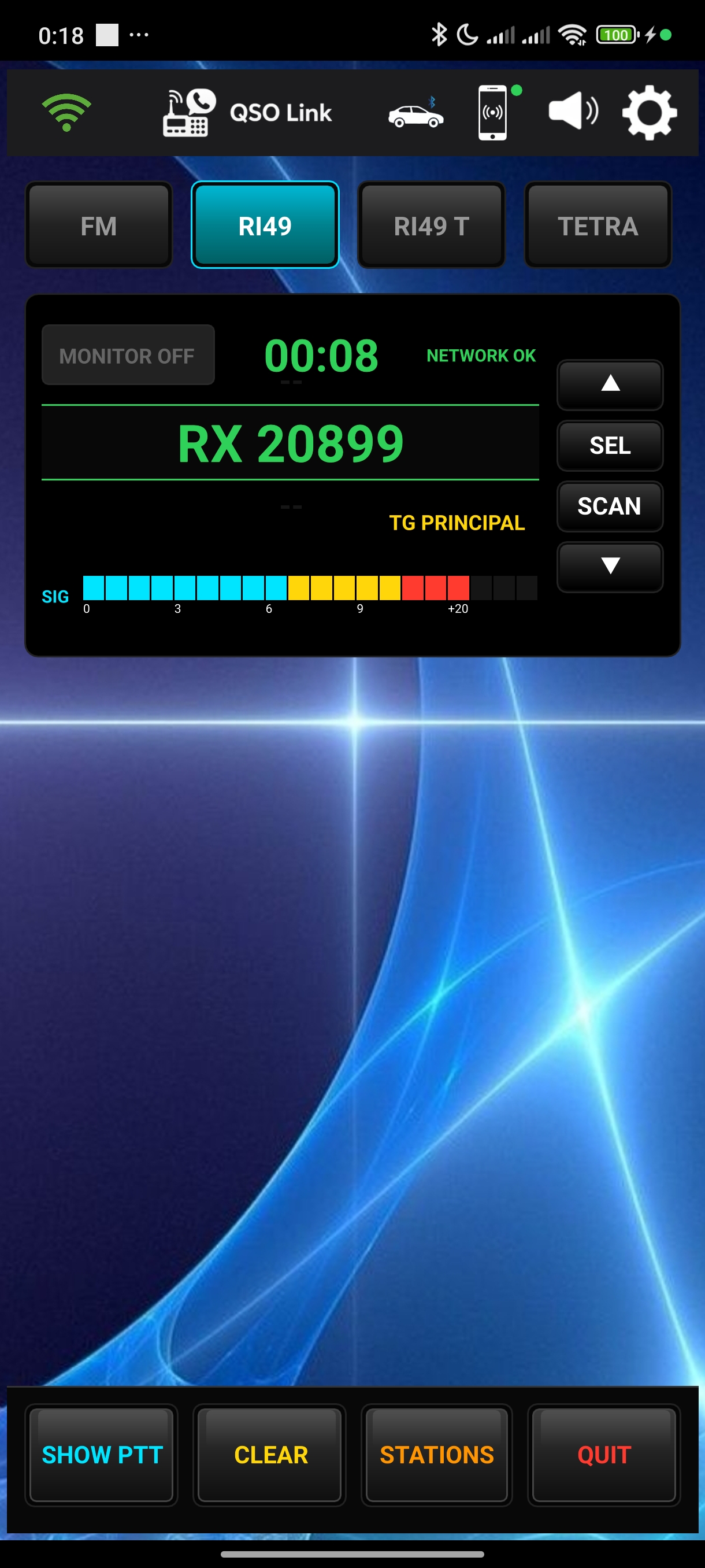
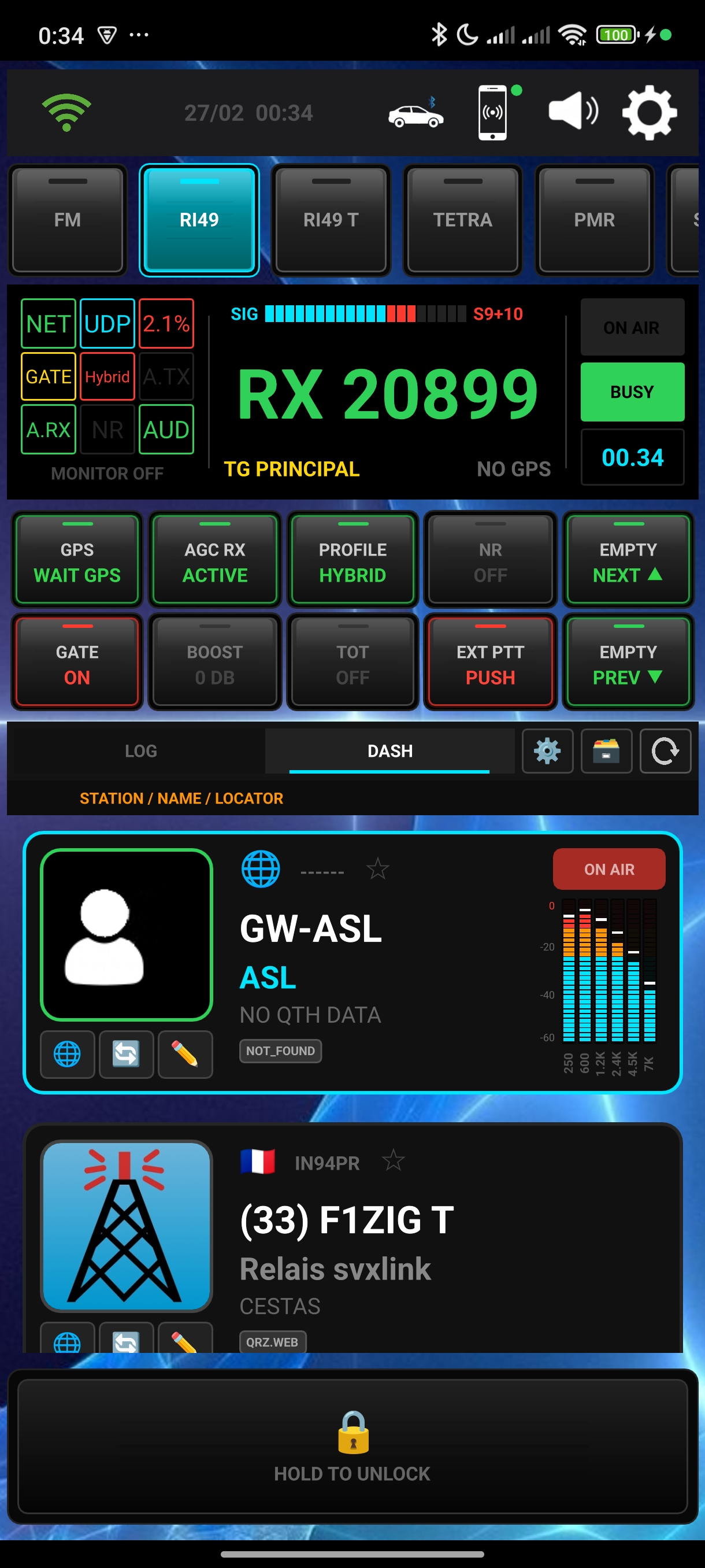
QSOLink App Interface
Expert Mic
Opus Wideband
WebSDR Ready
APRS-IS Link

Client-Side Architecture

QSOLink is a dedicated Svxlink Client for Android. It is not a standalone radio network. Users are required to configure the app to connect to their preferred third-party reflectors. Coming Soon: We are currently building the official QSOLink Network to provide our own high-speed infrastructure.

Quick Start Guide

Follow these steps to correctly configure QSOLink on your Android terminal.

01 Installation & Permissions

Upon first launch, Android will request several access rights. Accepting all permissions is vital for the radio engine and configuration management.

Required Permissions:
  • All Files Access: Required to create the /Download/QSOLink folder. This is used to save and import your settings, allowing you to transfer your configuration to another phone easily.
  • Notifications: This is a technical requirement only. The app does not send alerts or ads; it uses this to keep the audio engine running in the background. If denied, audio will cut out as soon as the screen turns off.
  • Microphone: Essential for transmitting (PTT).
  • Location: Used for GPS Locator and APRS beacons.
  • Nearby Devices: Required for Bluetooth mics and PTT buttons.

Tutorial: Permissions Setup

02 Simple UI (Recommended)

By default, QSOLink starts in Expert Mode. For POC devices with small 2.4" screens or for safe driving, we recommend the Simple UI.

  • Tap the Settings (Gear icon).
  • Go to Display & Layout.
  • Toggle "Use Navigation Menu" to ON.
  • Tap OK: The app will switch to a large, easy-to-tap tabbed interface.

Tutorial: Switching to Simple UI

03 Network & MQTT Setup

Define your SvxLink Reflector and activity monitor to see who is on the air.

  • Reflector: Long-press an [EMPTY] slot. Enter Host, Callsign, and Password.
  • Live Monitor: Enable "MQTT Live Monitor" in the editor. Choose a server to see real-time talkers on your dashboard.
  • Connect: Short-press the configured button to join the network.

Tutorial: Configuring Networks

04 Audio & Backup Management

Configure your audio DSP and secure your settings for portability.

  • Audio DSP: Calibrate your Mic Gain. Ensure your Gate (Yellow line) is always above the ambient noise (Purple line).
  • Backup: Go to Data & Backup. Use "Export All" to save your configuration to /Download/QSOLink.
  • Transfer: Copy the files from this folder to another phone's Download directory and use "Restore" to clone your setup instantly.

Tutorial: Audio & Configuration Transfer

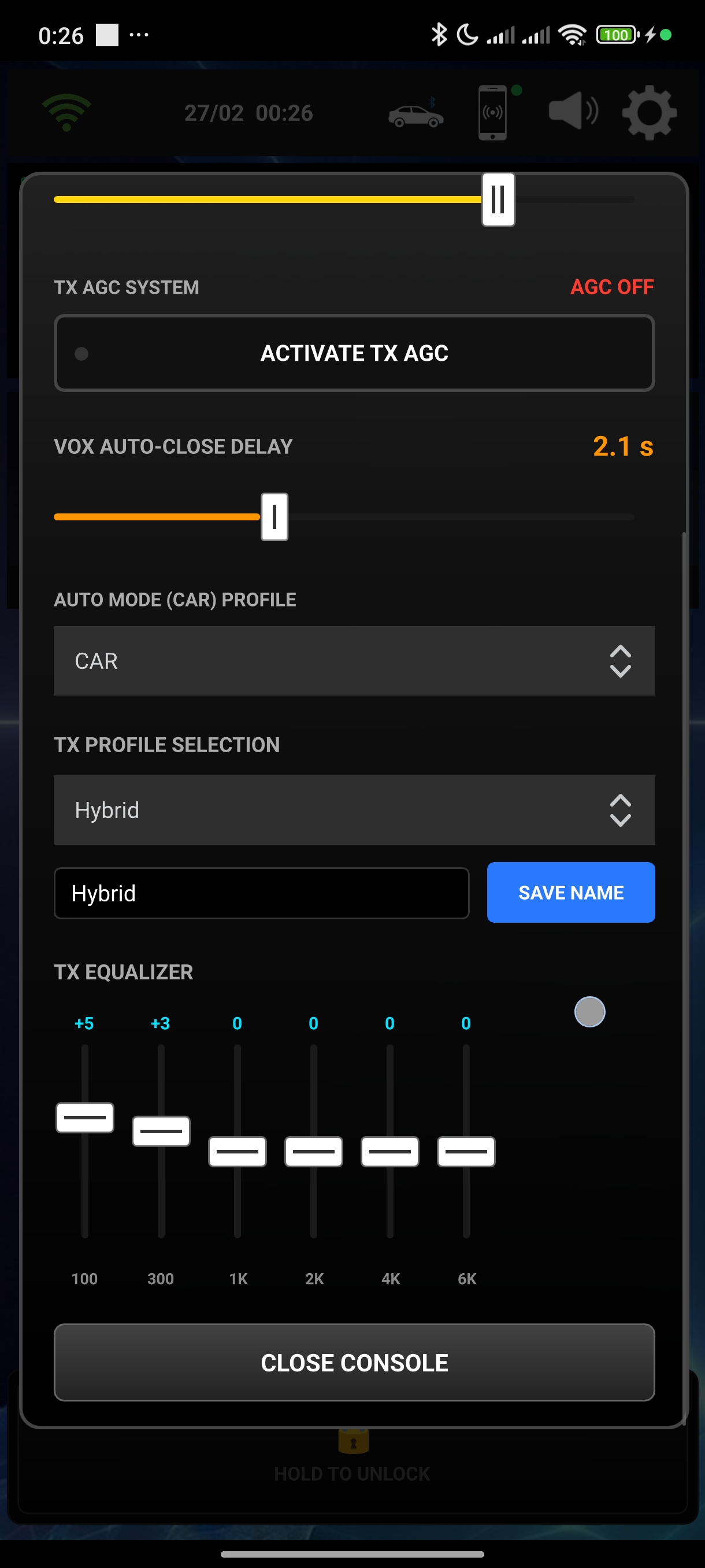
DSP Screen

Expert Audio Engine

16kHz Wideband digital processing for absolute radio clarity.

  • Advanced Noise Reduction Real-time ambient noise filtering for a perfect modulation.
  • Compressor & Auto-Gate Intelligent automatic squelch and built-in DX profiles (Punch, eSSB).
  • 6-Band Parametric EQ Full equalizer to adapt your voice timbre to any microphone.

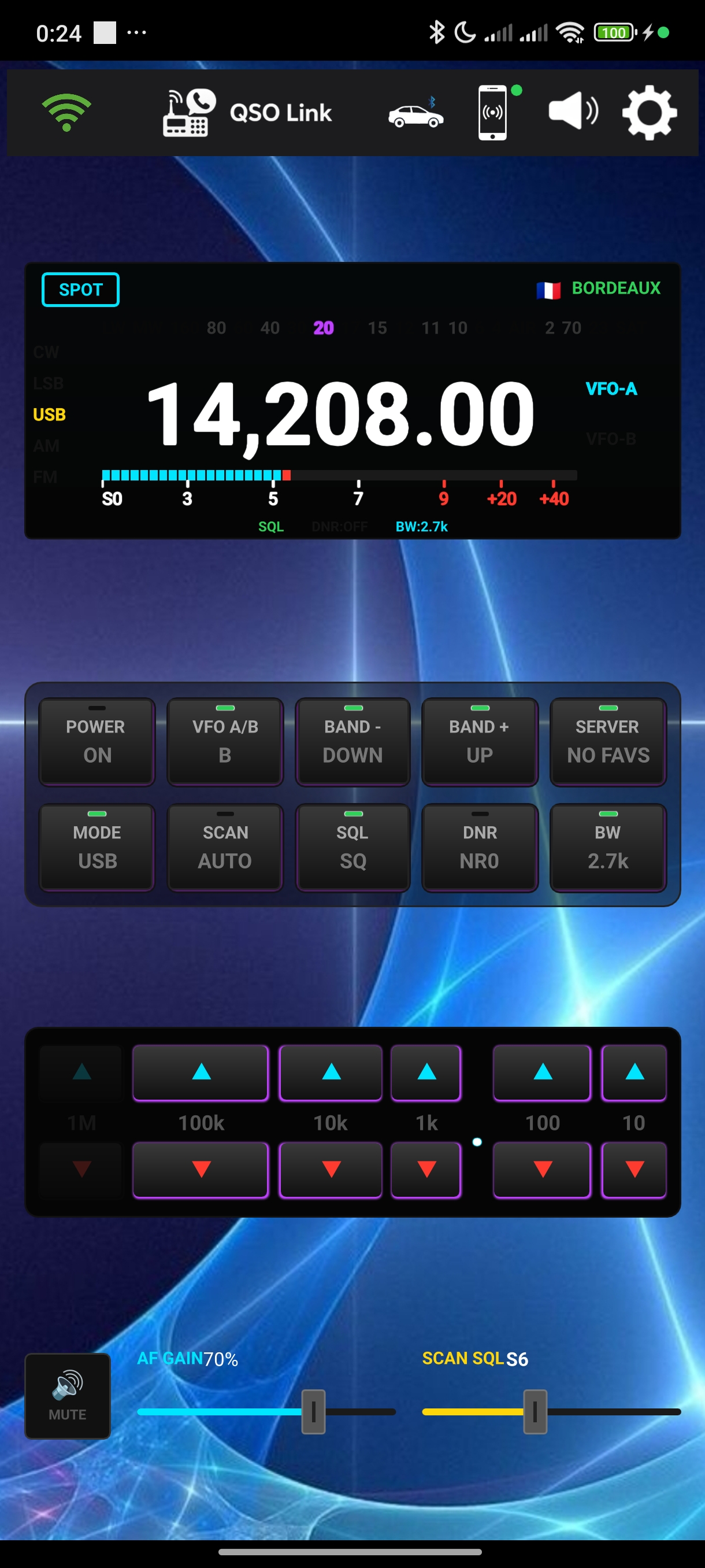
WebSDR Native Console

Control remote receivers with the ergonomics of a real HF base station.

  • Digital Tuning Wheel & Dual VFO Precise frequency adjustment to the kHz and VFO A/B management.
  • DX Cluster & Scanner Real-time DX spot importation and automatic jumping to active frequencies.
  • Multi-Mode All-Bands Full support for LSB, USB, AM, FM, and CW with adjustable bandwidth filters.
WebSDR Screen
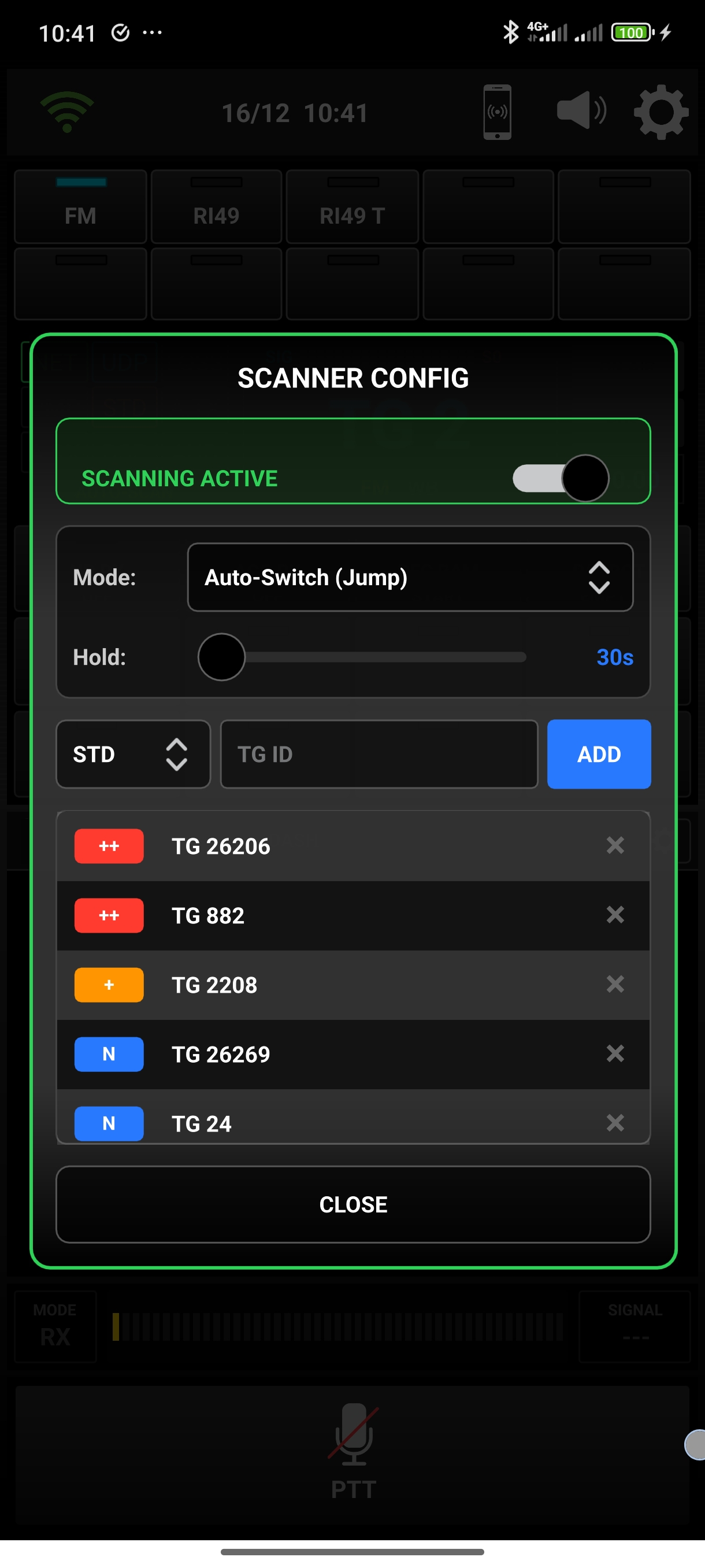
Scanner Screen

Intelligent Scanning

A network scanner that adapts to your operating style.

  • Auto-Switch (Jump) Automatically switch to the active TalkGroup based on your priorities.
  • Visual Radar Visualize station activity on a dynamic orbit around the TG.
System Screen

Ultimate Car Mode HUD

Designed for safety and performance behind the wheel.

  • Smart Steering Control Use your steering wheel buttons or Bluetooth microphone to control the app.
  • Bluetooth Metadata Displays callsigns and S-meter levels directly on your car's dashboard.

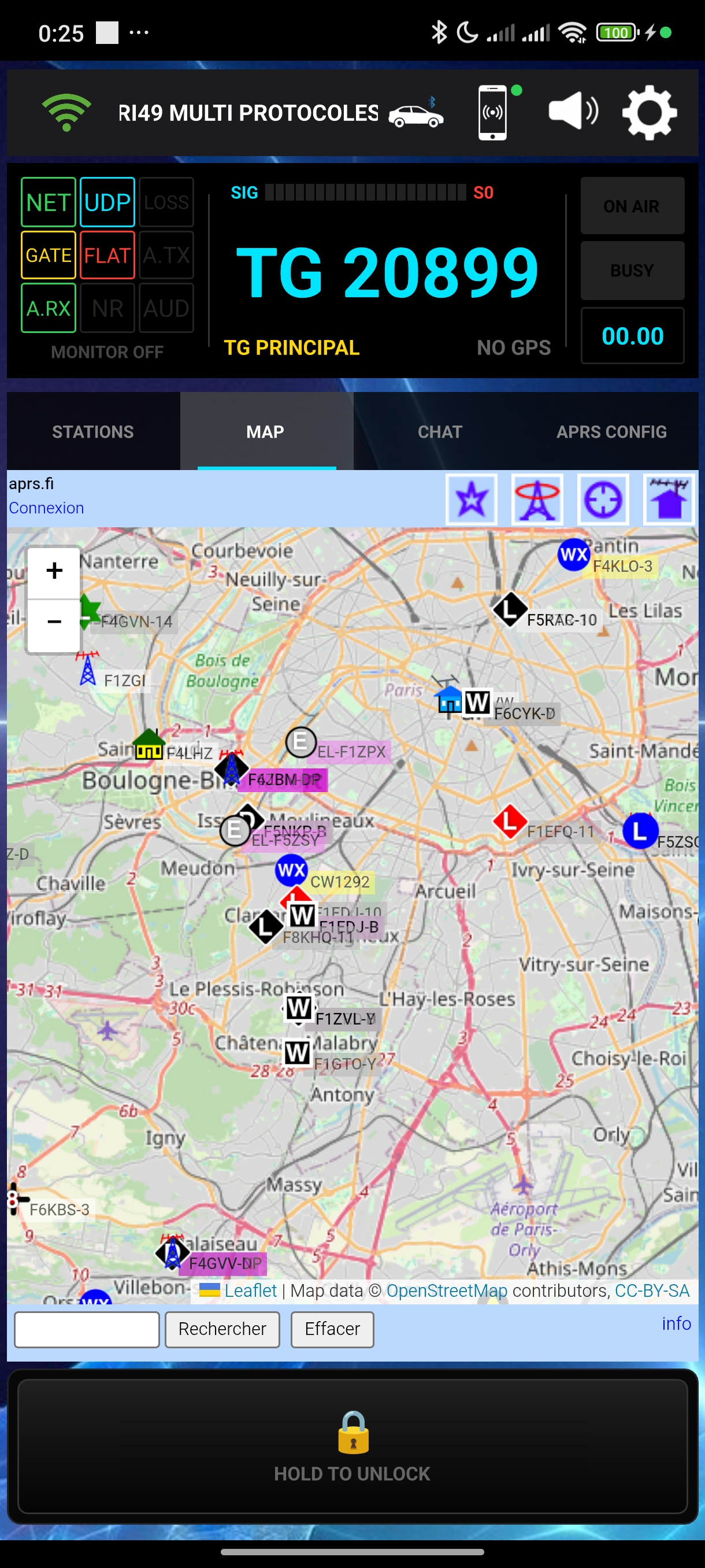
APRS-IS Messaging

ADVANCED FEATURE

Full integration with the global APRS-IS network for tracking and text communication.

  • Global Tracking Broadcast your position and network status (TG/Host) on maps like aprs.fi.
  • Direct Messaging Chat Intuitive chat interface to send and receive APRS text messages in real-time.
APRS Screen

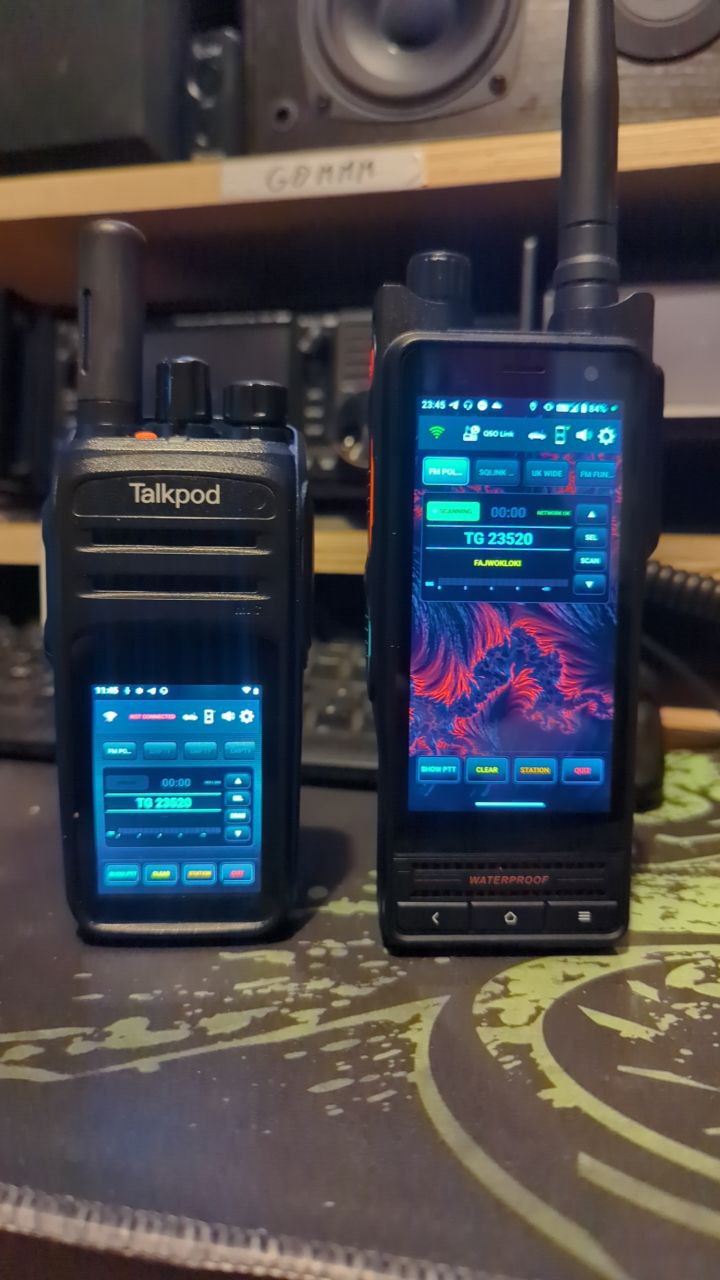
Lite Edition POC OPTIMIZED

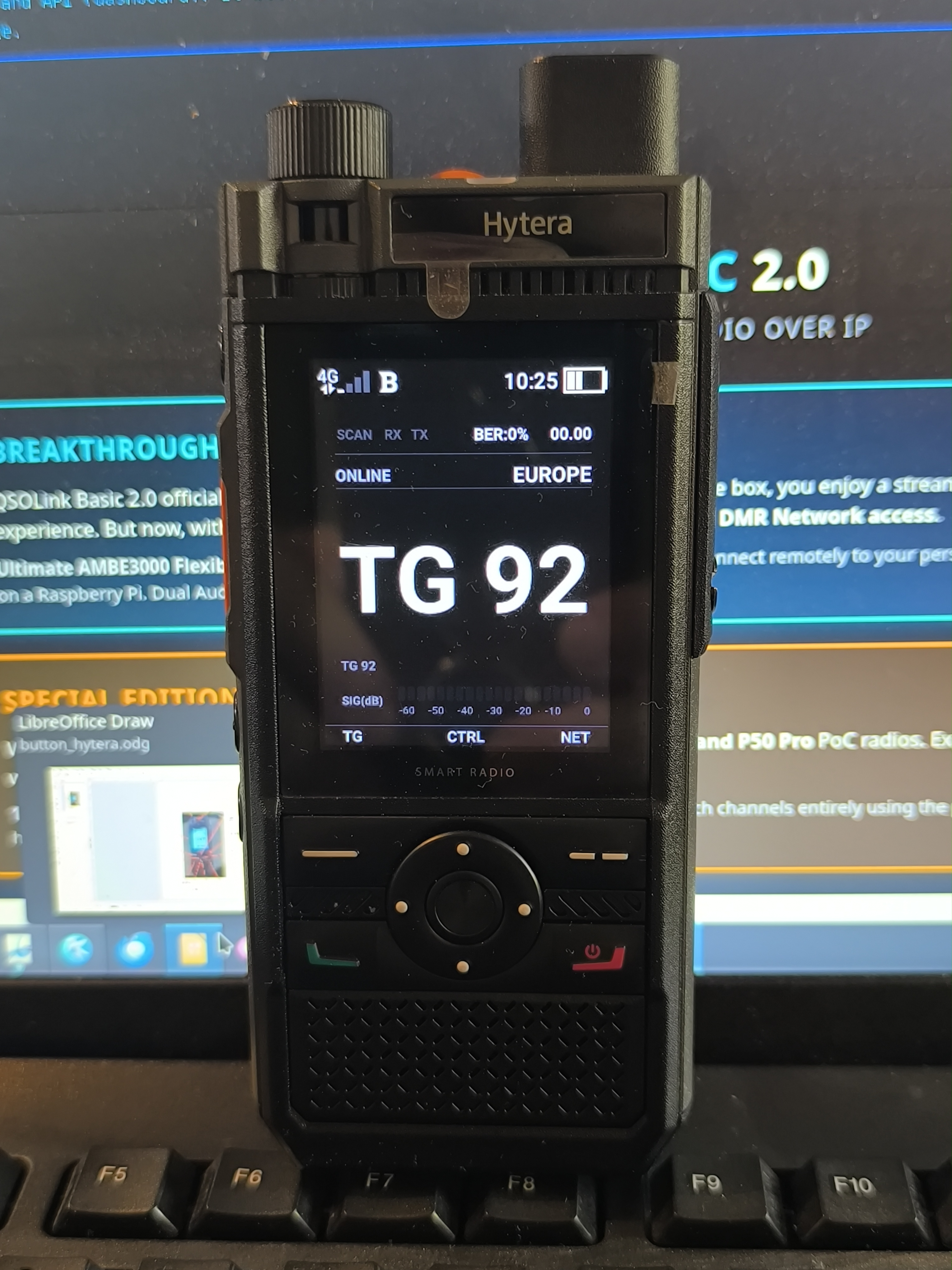
Dedicated to older smartphones and Network Radio (POC) devices.

  • Resource-Efficient Drastically reduced RAM and CPU usage. Runs smoothly on 32-bit legacy hardware.
  • Simplified UI Clean, high-contrast interface designed specifically for small screens (2.4" to 4" devices).
  • Power Optimized Optimized background processes to maximize battery life on dedicated radio handsets.
Lite UI
POC Device Optimization

POC & Handheld Optimization

Advanced compatibility for SVXLINK Network Radios with 2.4" to 3" small displays.

  • Fullscreen & No-Cover UI Native Android dialogs optimized to prevent the keyboard from covering input fields on small screens.
  • Static Navigation Menu Optional fixed menu for devices where swiping is difficult due to thick rugged screen bezels.
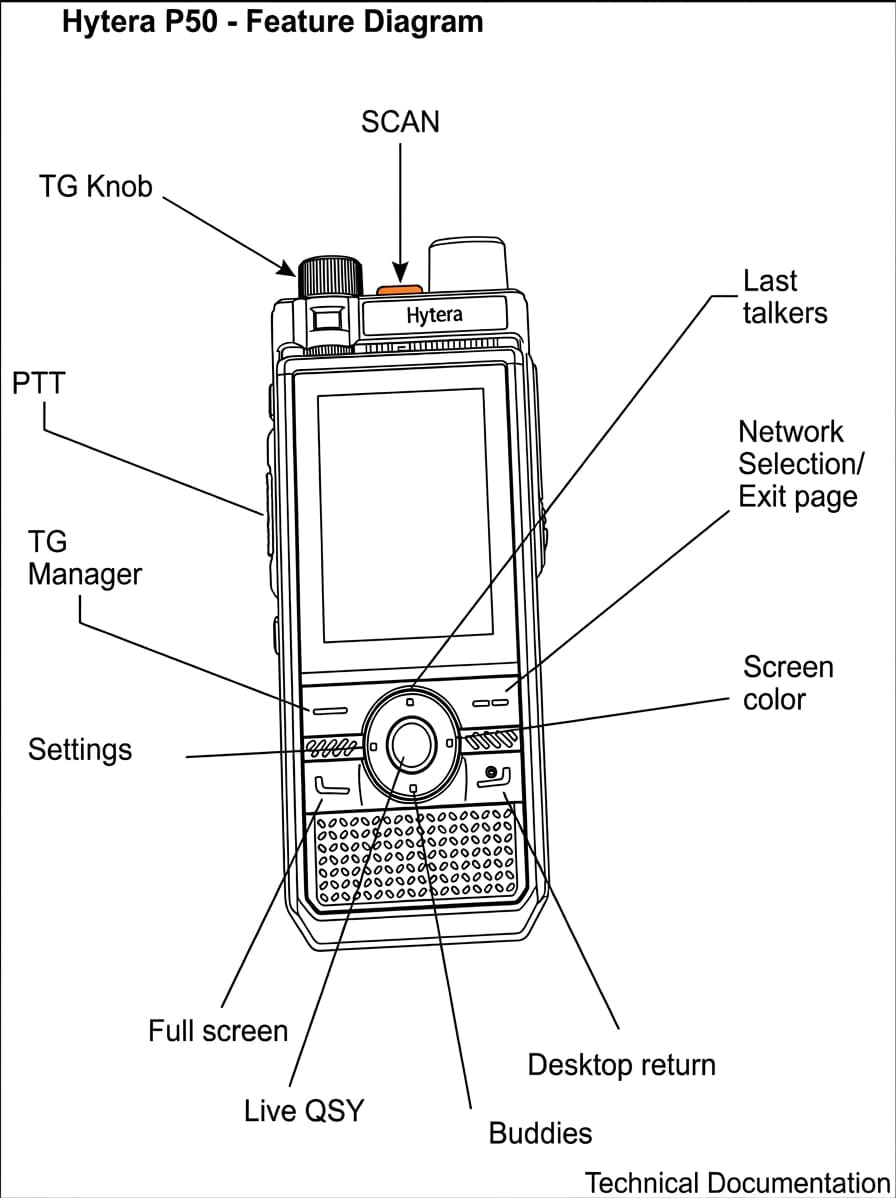
  • Hardware Button Mapping Deep integration for PTT, and Volume buttons

Your Data, Your Log

Backup

Full JSON Backup

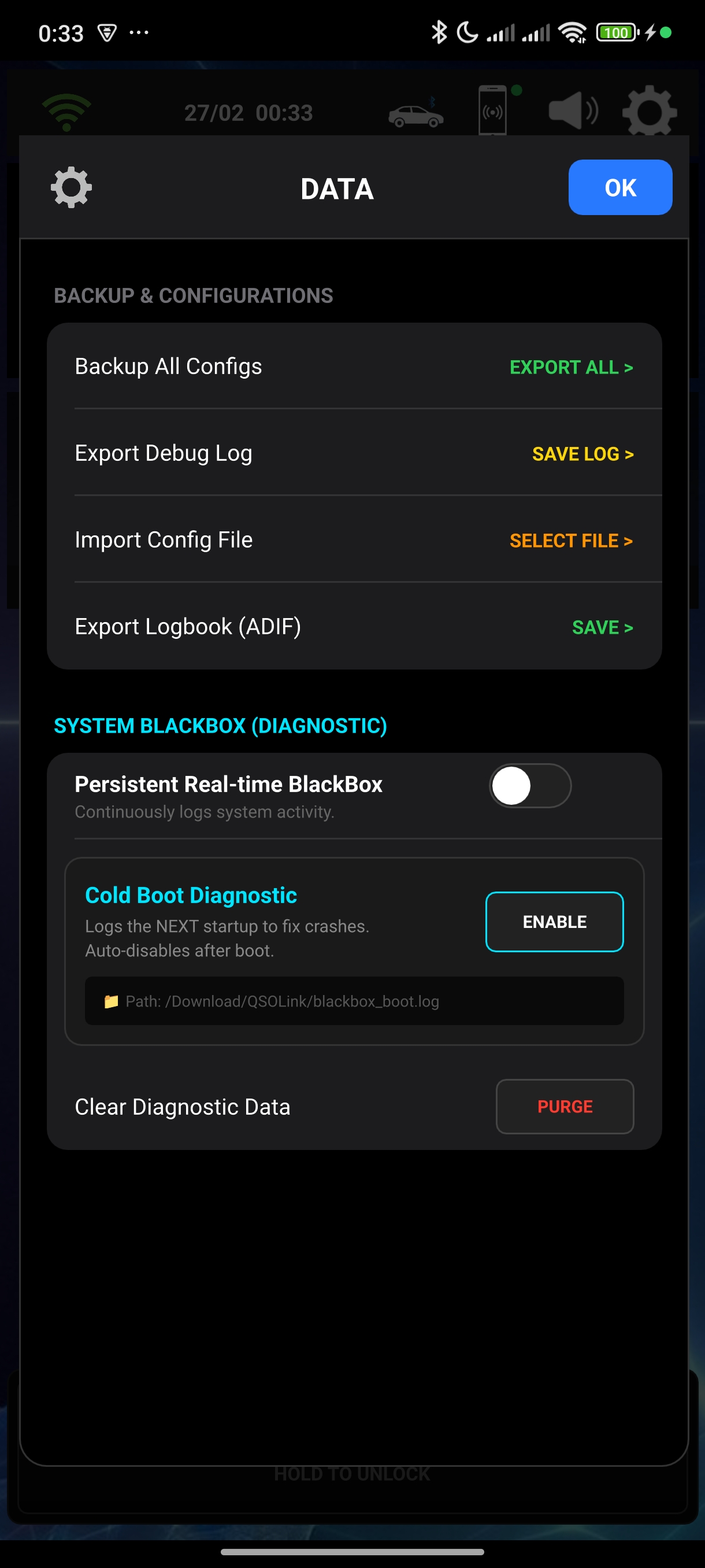
Save all your configurations, TGs, and identities in a single exportable file. export debug log for dev team

QSY

Identity Cards

Automatically fetch station photos and details from QRZ.com and HamQTH.

Logbook

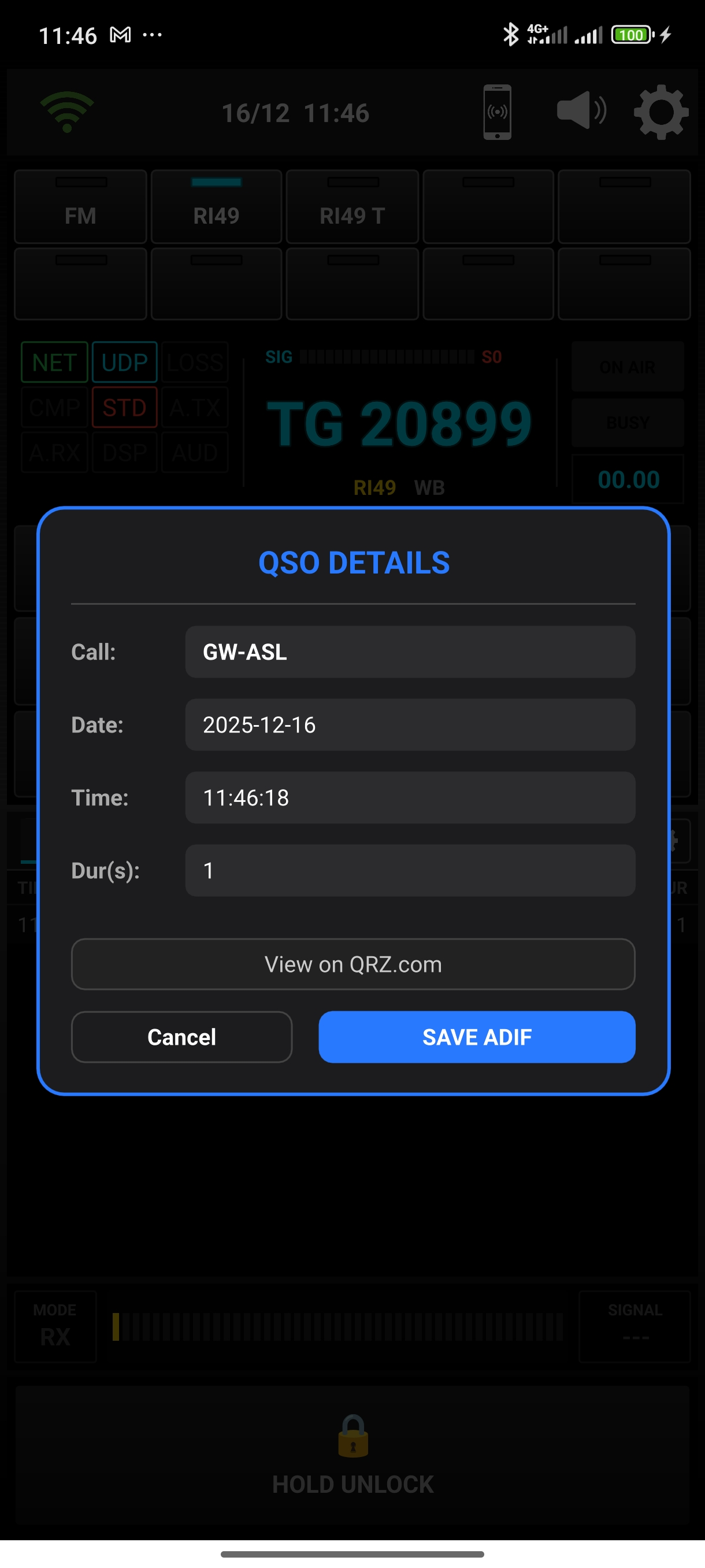
ADIF Logbook

Standard export of your radio contacts for your favorite logging software.

Community

Tutorials

New tutorials for V2.0 coming soon!

Project Overview

QSOLink V2.0 walkthrough

Roadmap

Play Store

Submission currently in progress.

Multi-Platform

PC & iOS versions under study.

Accessibility

Support for Visually Impaired users.

CAT Control

Enhanced TRX Control

"Current Status: Coding while drinking too much coffee! 😅"

Get on Air

Latest Release: V2.0.0 Stable

EXPERT EDITION

Full Features & Advanced DSP

LITE EDITION

Low RAM & Simplified UI

Legacy Version V1.5.0 :

⚠️ Xiaomi/Samsung: Set battery saver to "No Restrictions".

Support the Fun

This project is a hobby. Buy me a coffee to keep the servers running!

Donate via PayPal